Updating...
Skip to main content
(opens in a new tab)
Filter your search by category. Current category:
All
All
Knowledge Base
Service Catalog
Search the client portal
Search
Sign In
Show Applications Menu
Help Desk Client Portal
Sign In
Search
Home
Physical Plant
Public Safety
Distance and Online Learning
Services
Knowledge Base
More Applications
Skip to Knowledge Base content
Search
Articles
Blank
Knowledge Base
WIReD Help
Ordering a Student Transcript
Visit
www.hvcc.edu/wired
in a web browser.
Select
Continue to WIReD Homepage
.
Select
Student Dashboard
and if prompted sign in with your college email and password. If on a mobile device, first select
Student Dashboard: Additional Links.
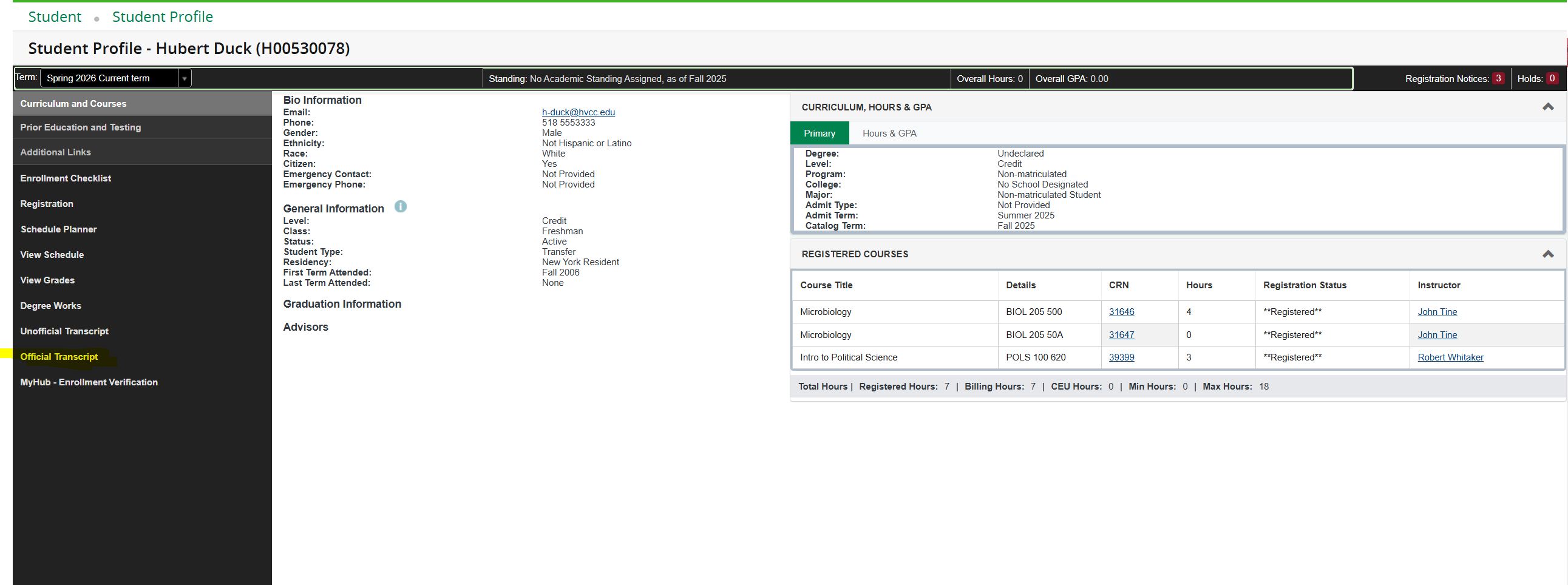
Locate and select
Official Transcript
to begin the request process.
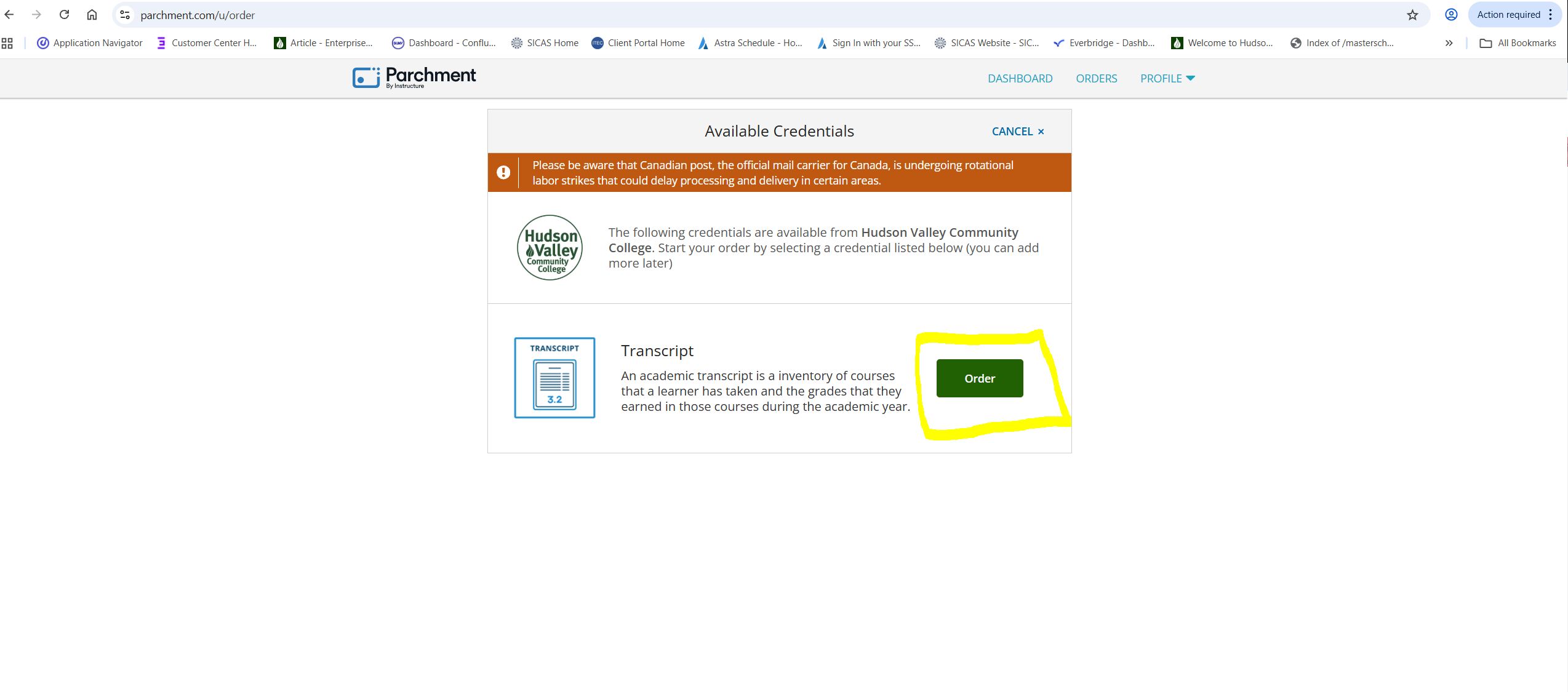
You will be automatically redirected to the Parchment website. Select the green
Order
button, then follow the on-screen instructions to select you delivery method and complete your transcript request.
Sign in to leave feedback
0 reviews
Blank
Blank
Blank
Blank
Print Article
Deleting...