Ordering a Student Transcript
Body
- Login to your Student Dashboard in WIReD.
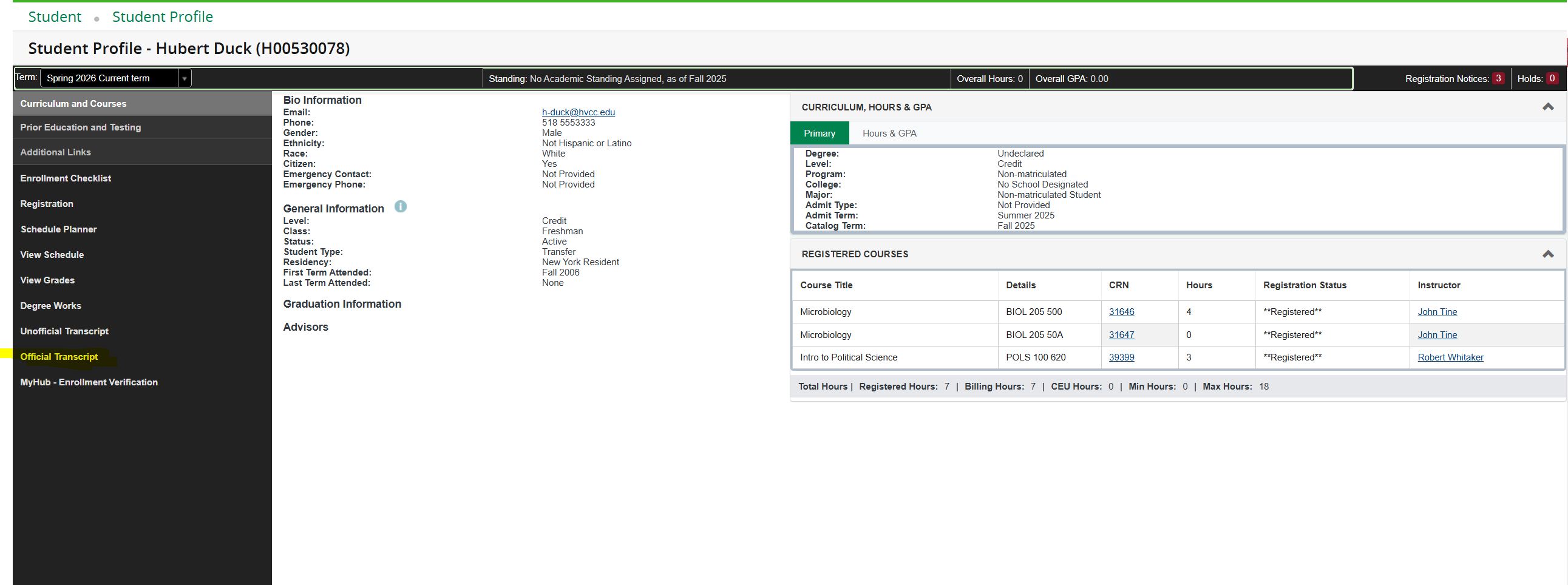
- Locate and select Official Transcript from the left side menu to begin the request process.
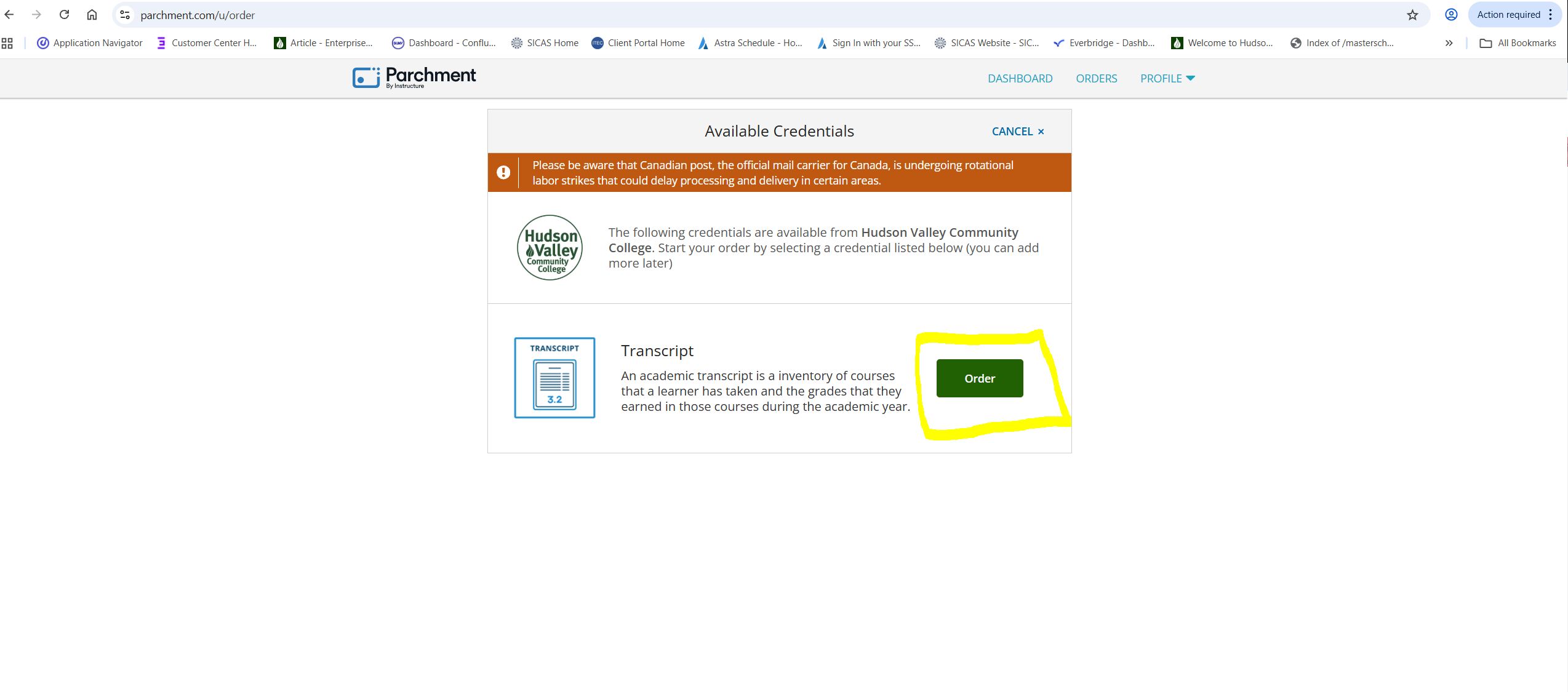
- You will be automatically redirected to the Parchment website. Select the green Order button, then follow the on-screen instructions to select you delivery method and complete your transcript request.
Need More Help?
For assistance with WIReD, please contact the Registrar's Office at:
Details
Details
Article ID:
159644
Created
Mon 12/15/25 2:57 PM
Modified
Wed 3/25/26 9:05 PM