This documentation is for the purpose of accessing your Degree Works audit through WIReD.
- Login to your Student Dashboard in WIReD
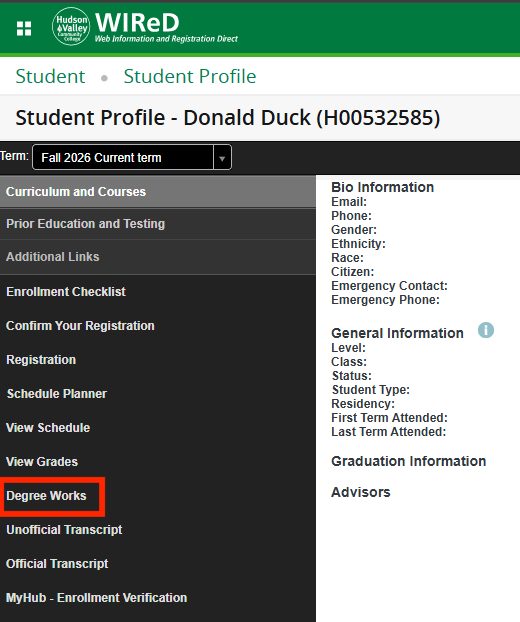
- Select Degree Works from the left side menu.
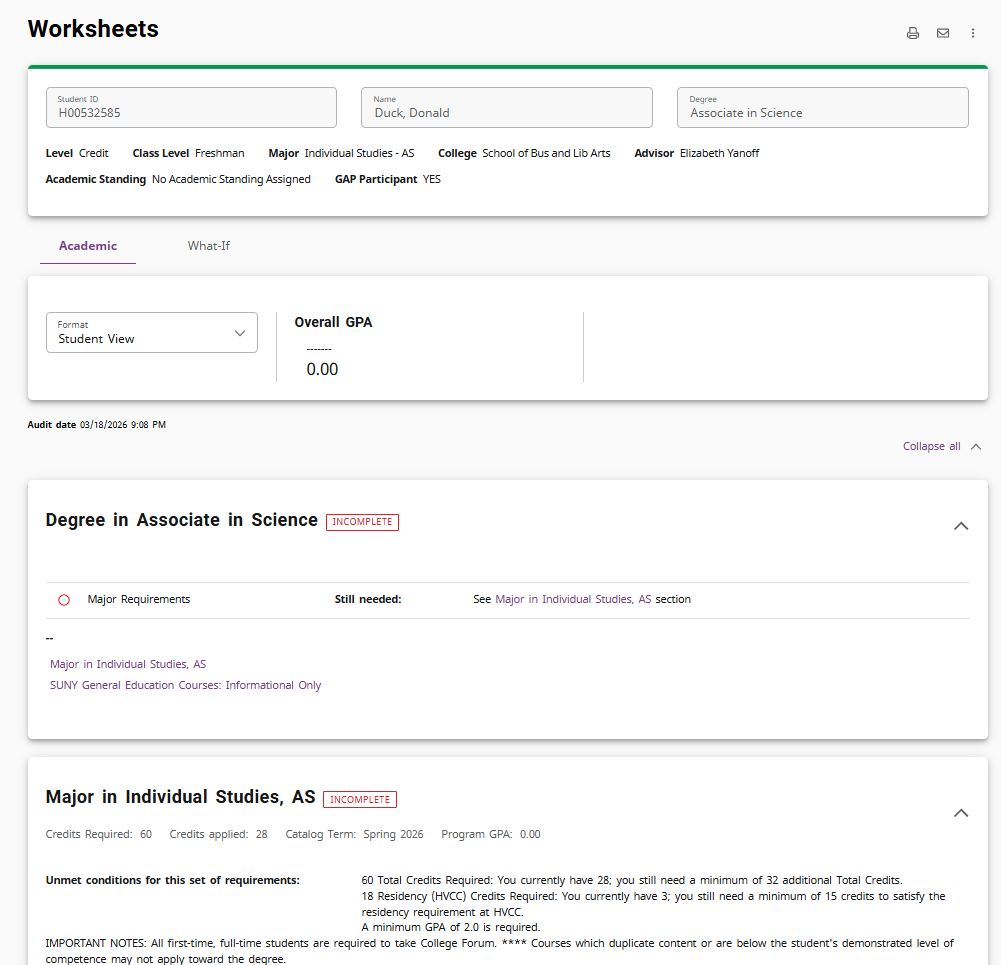
- Degree Works will open and display the most recent degree audit generated. Scroll down to see your progress toward your degree or certificate. The user-friendly interface uses colors and checkboxes to indicate which requirements have been completed and which have not been satisfied.
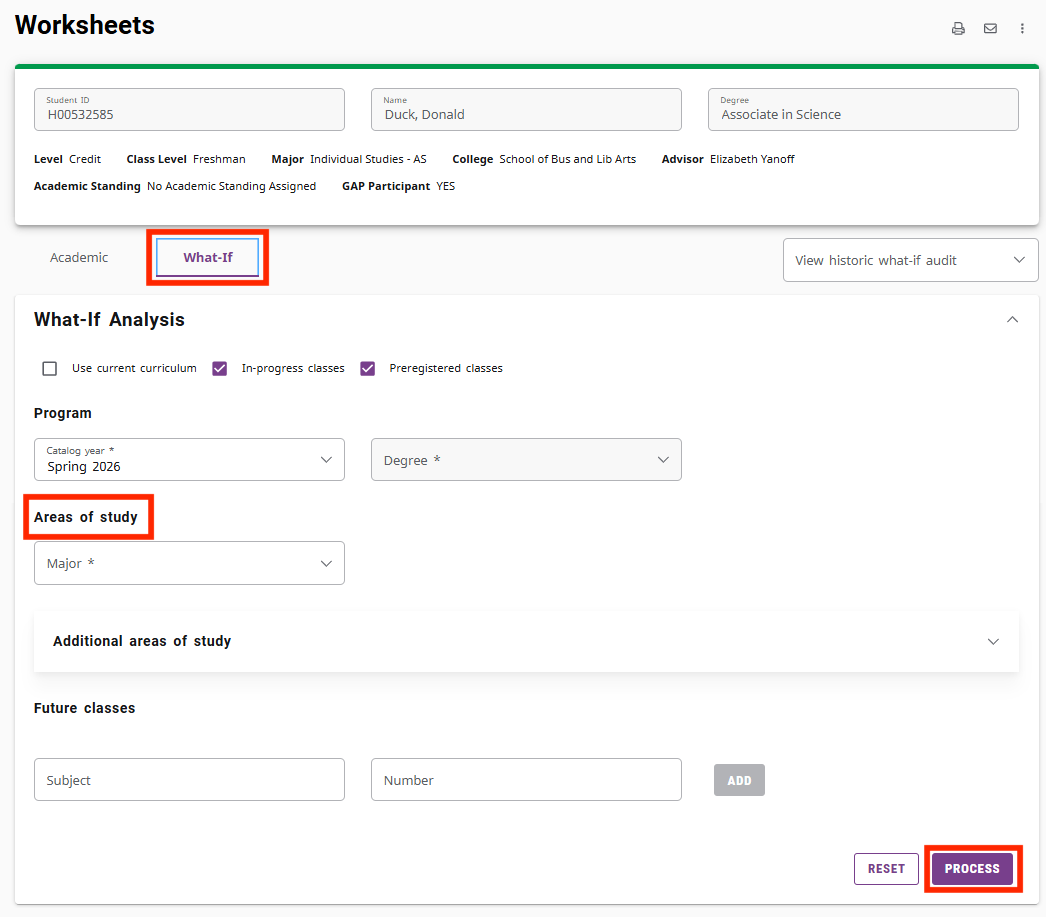
- Progress toward alternate programs: If you would like to see what classes you would have to take to complete an alternate program, select What If in the menu. Select the Major of interest under "Areas of Study" then select the Process button at the bottom right.
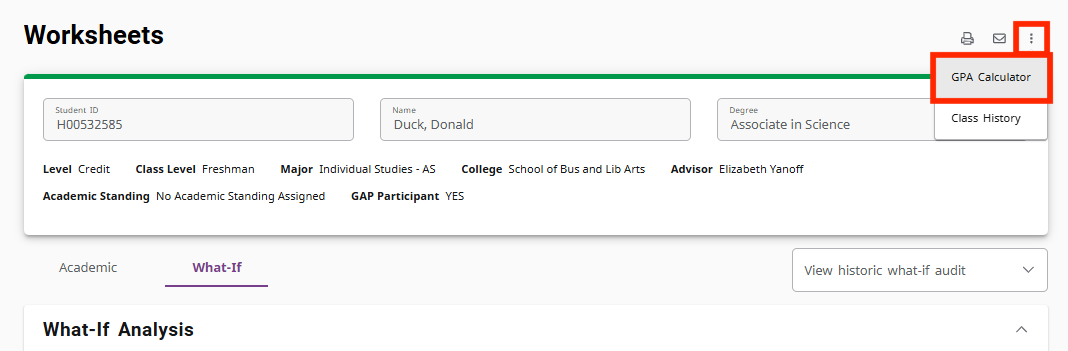
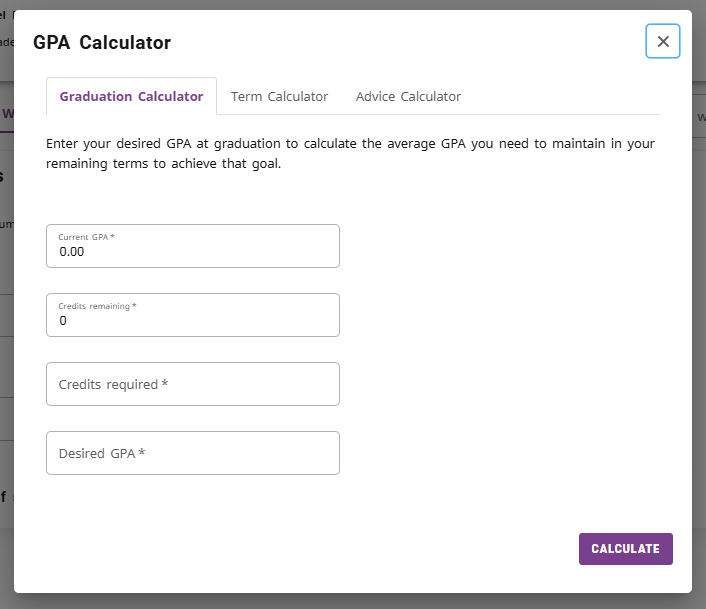
- GPA Calculator: You can generate your own GPA calculation. Select the three vertical dots in the upper right corner then select GPA Calculator.
Important Note: Be sure to completely close and quite your browser when you are done to ensure that you have been logged out of your account.
Need More Help?
If you have questions regarding your degree audit, please contact your academic department for assistance.
For assistance with WIReD, please contact the Registrar's Office at: