Body
This documentation is for the purpose of dropping a course or courses on WIReD. Please consult with your academic advisor when looking to drop a course for implications on your overall degree progress.
To follow these instructions you will need your Alternative PIN (AVN), found on your advisement sheet.
- Login to your Student Dashboard in WIReD
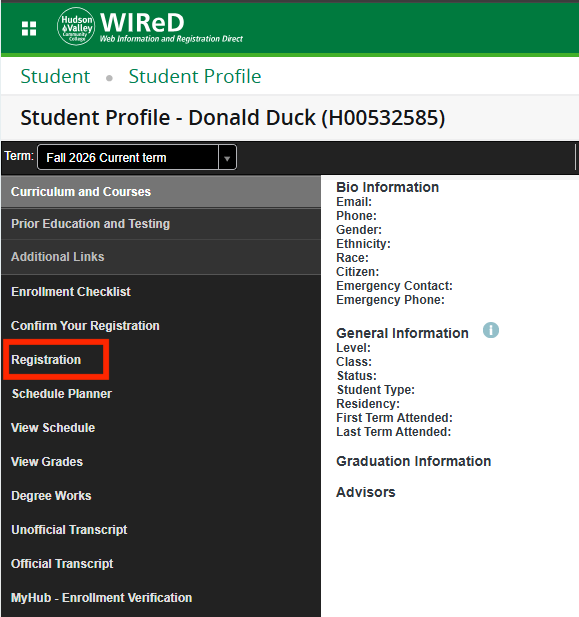
- Select Registration from the left side menu.
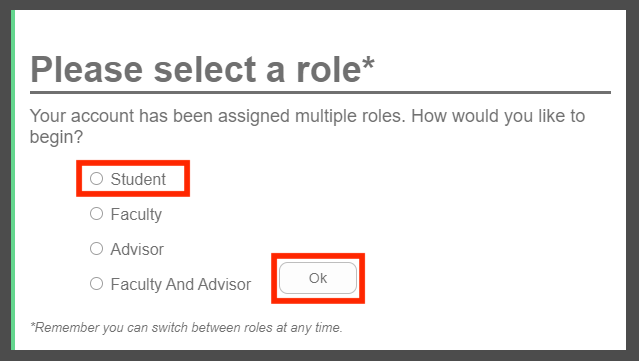
- In the "Please select a role" view, select Student then select Ok.
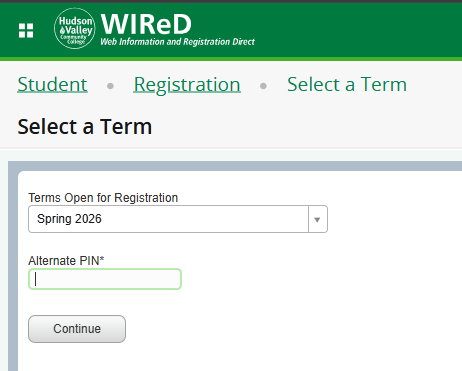
- Next select your Term and enter your Alternate Pin (AVN). Select Continue.
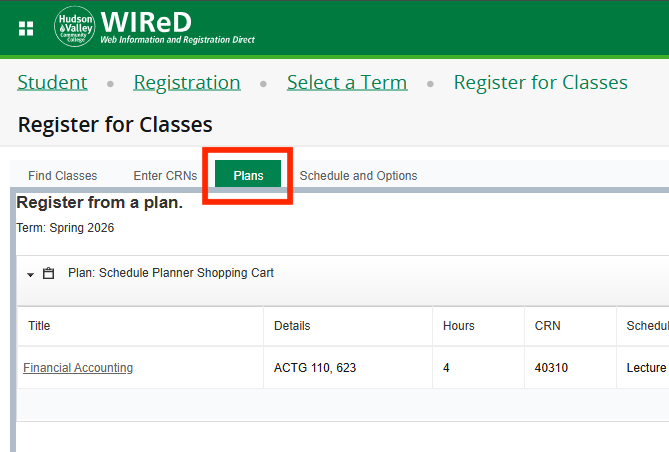
- To web drop a course, select the Plans tab.
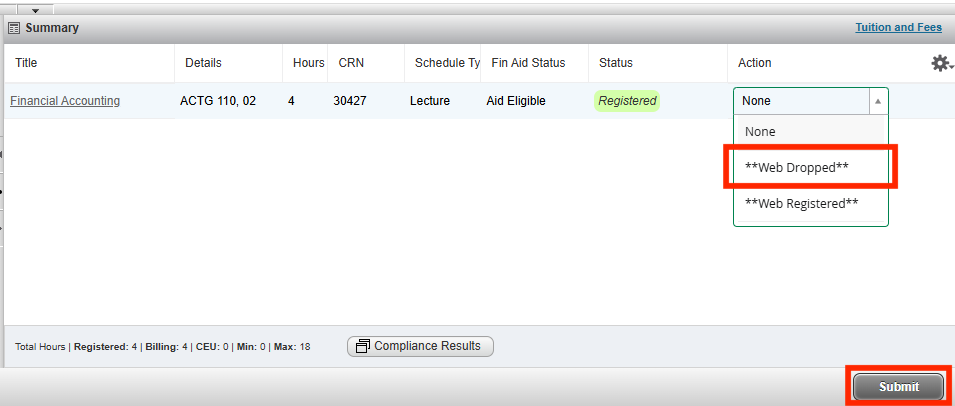
- Select the Web Dropped option in the Action drop-down menu. Select Submit.
Need More Help?
For assistance, please contact the Registrar's Office at: